This case study is private
This project is under a confidentiality agreement. If you have the password, enter it below to view it.
Giving controllers a reason to open Tallyhaus every morning
Controllers buy Tallyhaus, but their AP clerks use it. I turned the controller's end-of-day inbox check into a two-minute morning brief, with each count linking to a saved view of the inbox, so the controller can unblock their team without ever reading the inbox.
- Role
- Product designer, research to developer handoff
- Timeline
- Oct – Nov 2026
- Platforms
- Email, desktop web, mobile web
- Methods
- 10 customer sessions reviewed, 5 think-alouds run
The problem
Tallyhaus connects to a company's shared AP inbox and its bill-pay system. An agent reads every vendor email, tags it, and proposes tasks: approve a bill, code an invoice, reply to a vendor. AP clerks work that queue every day.
The controller manages two to six clerks, sometimes across many client inboxes. Their job is to know, without reading the inbox, what's left and whether the system can be trusted. The product gave them no reason to come in, and the business felt it: one global controller who had seen demos left the purchase paused.
AP clerk
Gets every thread to a finished state in the bill-pay system. Reads newest-first, drags emails into labels, stars pending items.
Controller
Checks pending counts after the team signs off, assigns next-morning priorities, approves, and steps in when someone is blocked.
Research
I reviewed ten recorded sessions with Tallyhaus's pilot customers and synthesized them into clerk and controller workflows. Then I wrote an interview guide and ran unguided think-alouds on a reporting-dashboard prototype with five finance practitioners.
Participants ranged from a global controller running a 6-person AP team across 5 entities, to a multi-client accountant working accounting-firm style across QuickBooks, NetSuite, Bill.com and Ramp, to a solo AP operator backing up approvals on top of her own job. Discovery also covered a fractional-CFO firm with 10 AP-heavy clients, a SaaS controller mid-ERP switch, a fintech chasing a 10-day close, and an ops team processing 300–350 invoices a month. Participants here are described by role.
What we learned
The dashboard's structure worked, but it read as metrics, not a to-do list.
Labeled is not done
Categorizing an email doesn't finish it. Counts should fall only when work lands downstream or a person closes it, and a new vendor reply should reopen the thread. Raised by 4 of 6 customer teams.
"If the buckets are wrong, the reporting is garbage."
Lead with what needs action
Blocked, overdue and waiting-on-me belong at the top. One controller asked for three buckets the moment she logs in: am I blocking anyone, what urgently needs me, what's overdue? Labels were unclear to all 5 prototype testers.
"Check a couple numbers and hit post." — on what Tallyhaus already made of backup AP
Meet them where they already work
Another login is a cost. Controllers asked for a scheduled email, Slack nudges to approvers, or answers inside the tools they already use. Raised by 4 of 6 customer teams.
"He doesn't necessarily want to log into Tallyhaus."
Trust needs a source and a click
Every number has to say whether it comes from the inbox or the ERP, and open the list behind it. Counts that didn't match their lists — "Unassigned: 4" that opened 5 emails — broke trust immediately, for all 5 testers.
Accountants love to "click, click, click."
Controllers unblock; clerks process
The controller's daily job is unsticking people: approvals, missing POs, vendor changes, duplicate checks. Ownership, one-click assignment and aging per person mattered more than totals, for 4 of 5 testers.
On knowing every invoice for the month is handled: "That's really good."
Same words, different meanings
"Completed" meant a closed thread to AP, and "every item in the period resolved" to a controller. "Likely done," "good standing" and five shades of one green confused all 5 testers.
Reframing the problem
How might we give a controller a two-minute morning read that leads straight to the thing only they can unblock?
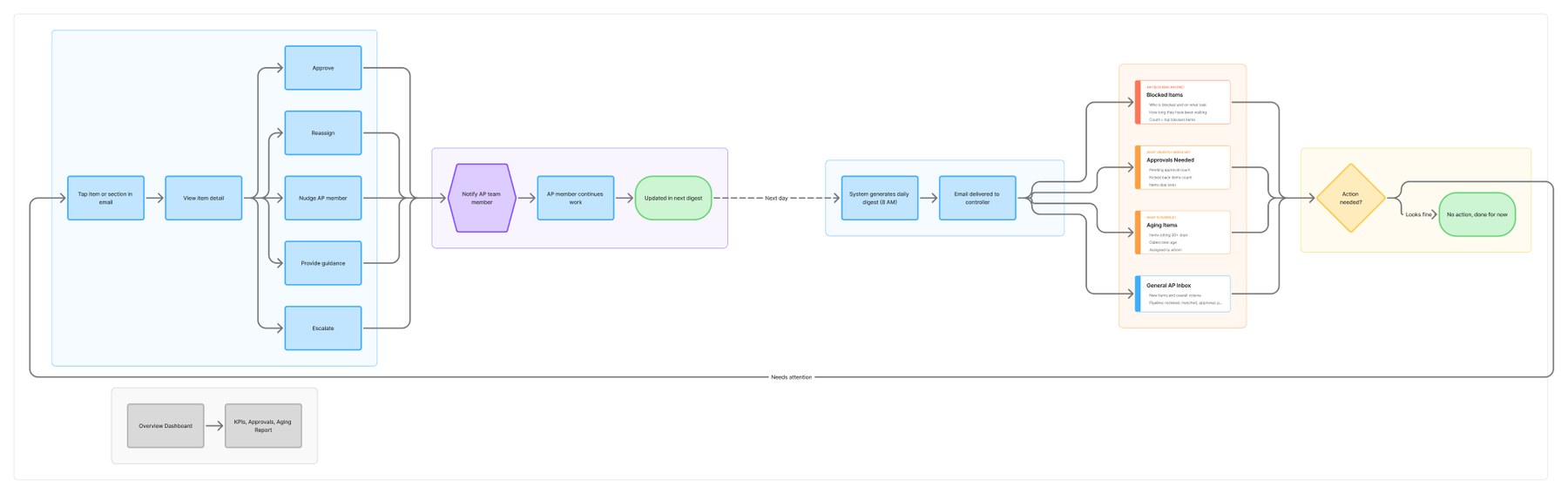
Instead of a dashboard they'd have to remember to visit, I designed a daily loop that starts in their email and keeps paying them back:
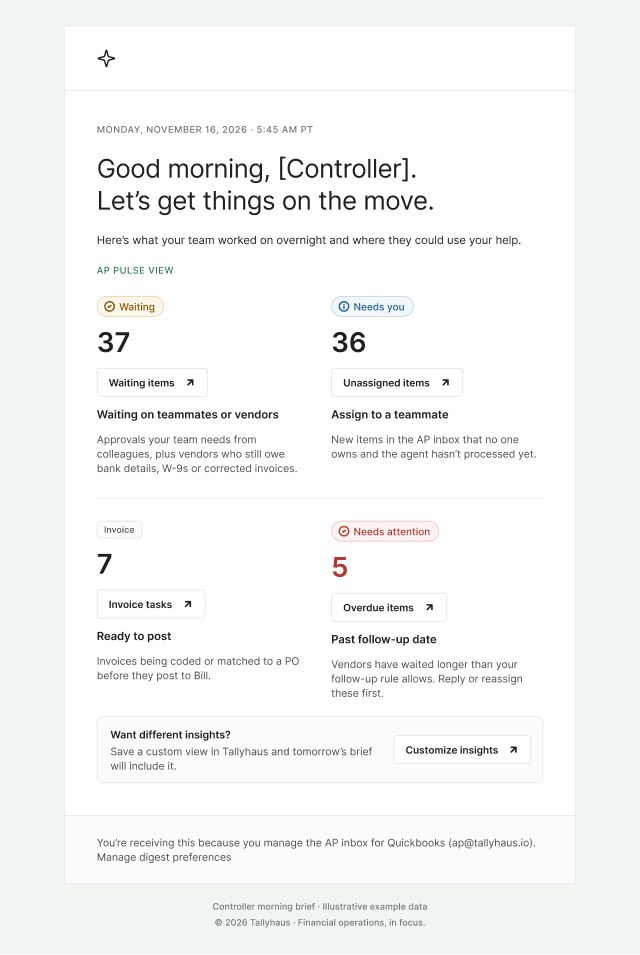
- 5:45 AM brief — counts for the views that matter, sent before the team signs on.
- One tap — each card opens the matching tab, already filtered.
- Unblock — approve, decide, reassign or reply in context.
- Save a view — new filters become a tab and a brief card.
- Tomorrow — the brief includes it, only once it crosses a threshold.
Exploration
I tested four ways to show open work, each one teaching me something different about what a controller actually needed.
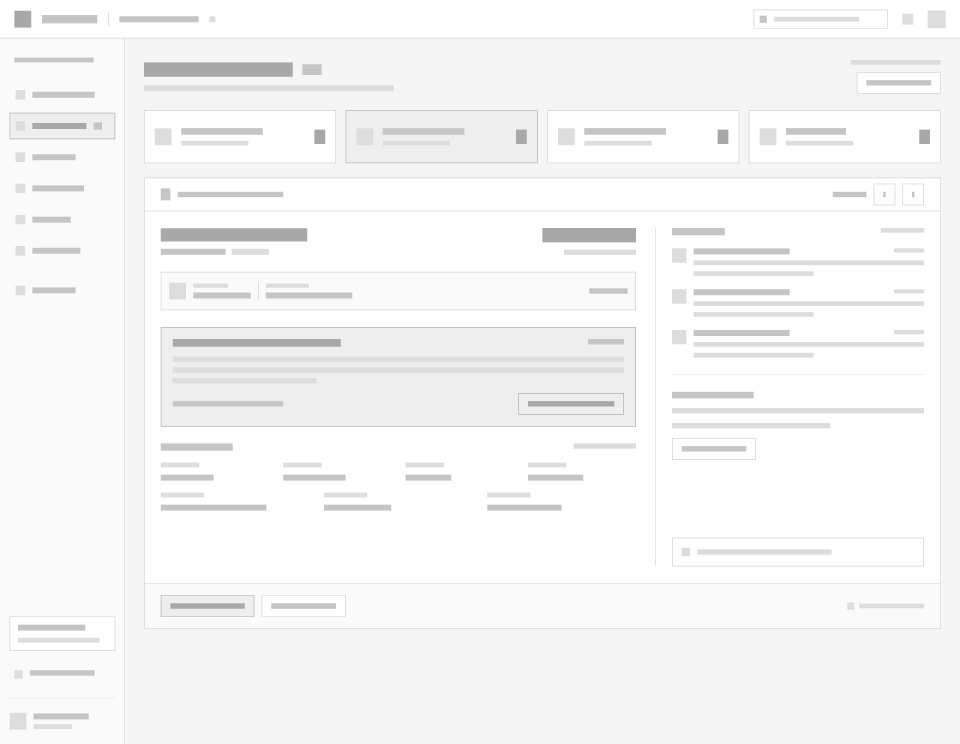
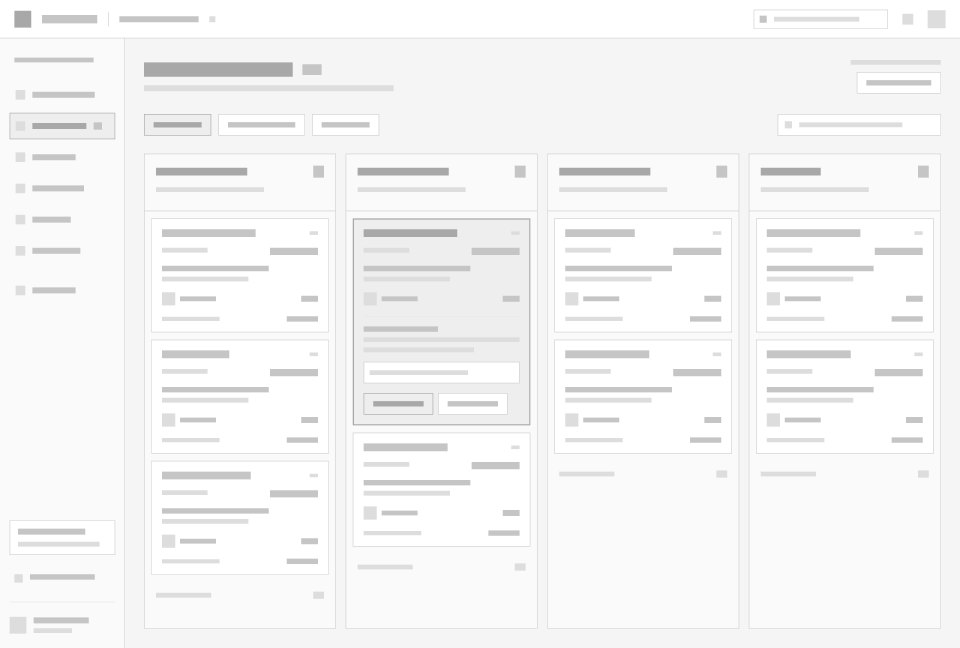
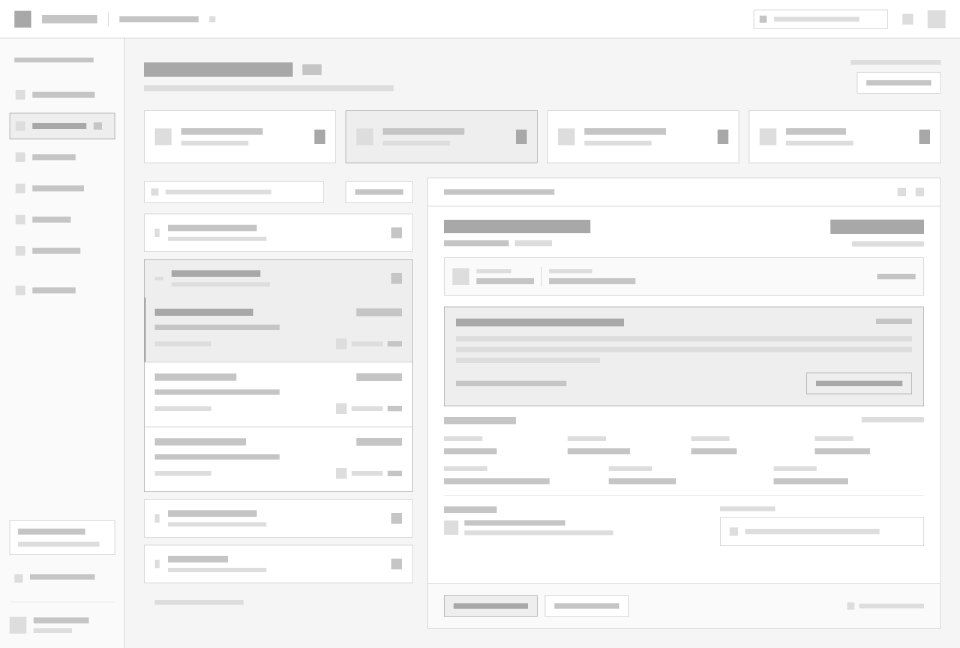
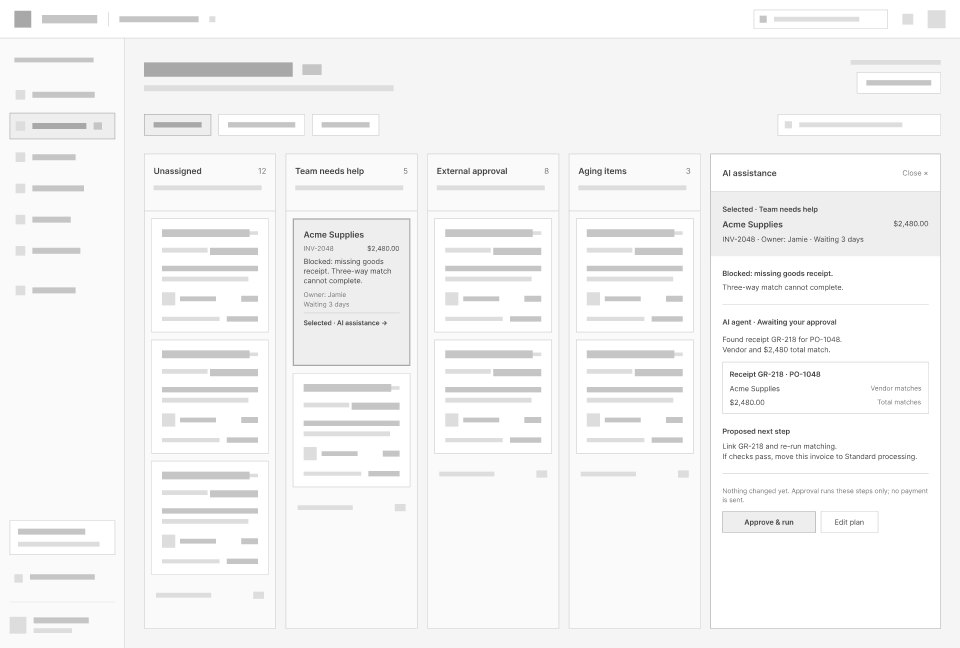
Email: from three concepts to one brief
I iterated three competing concepts for the morning email — an executive brief, a team unblocker, and a books-health scorecard — through lo-fi and mid-fi passes.
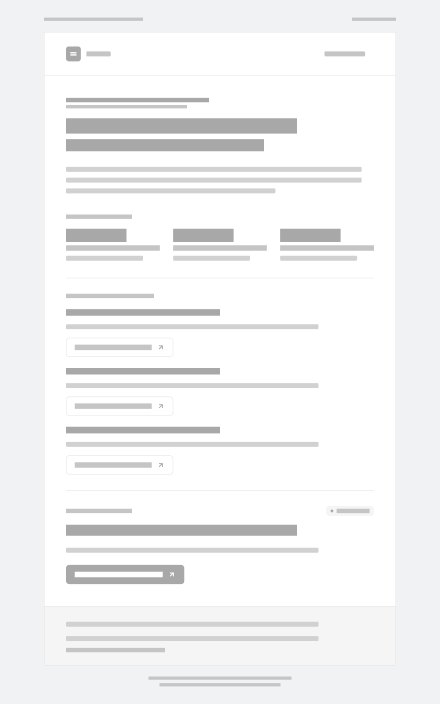
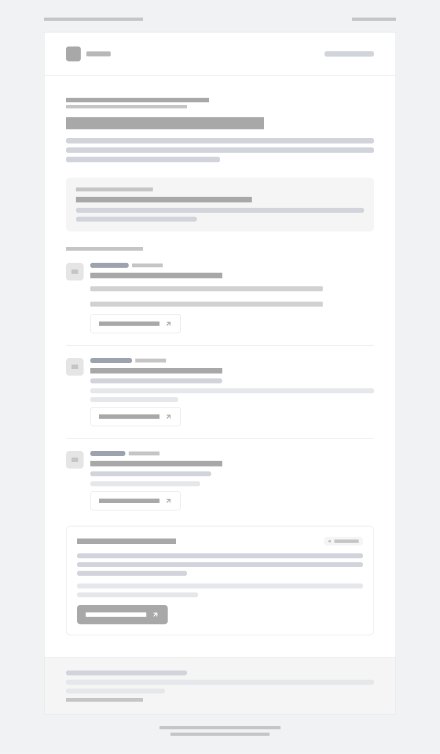
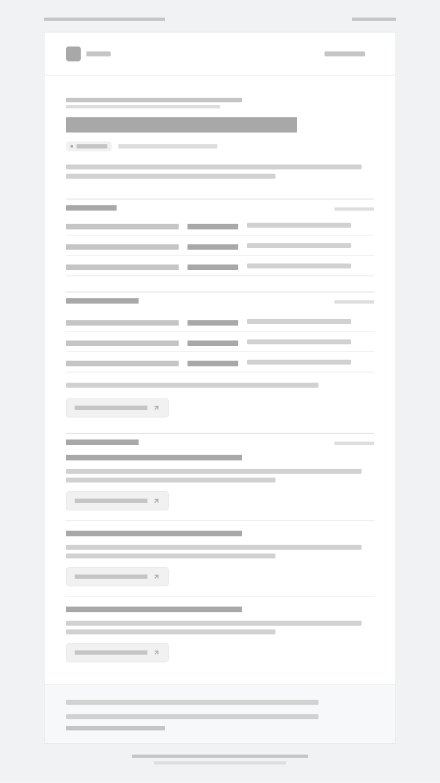
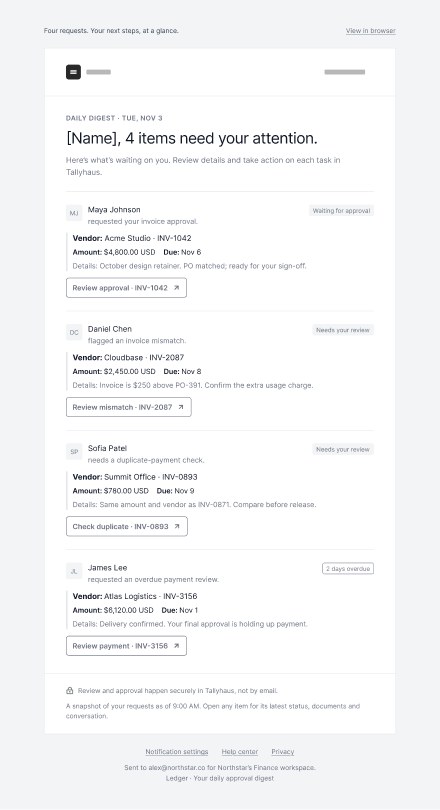
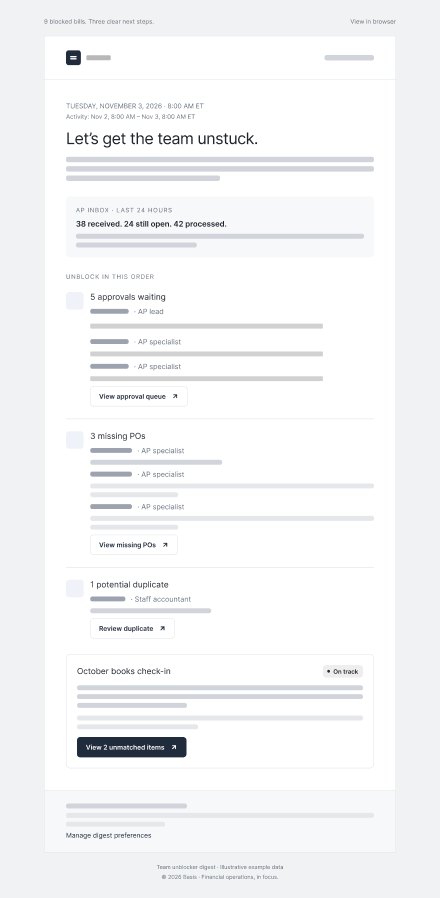
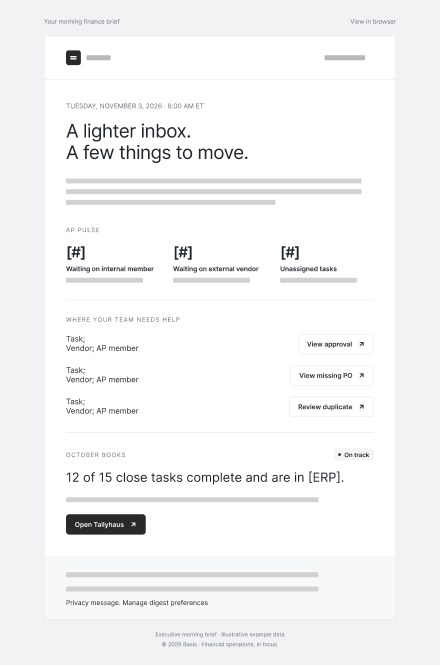
The per-request digest was precise but turned the controller back into a processor: four items, four decisions. The books-health scorecard needed ERP data Tallyhaus couldn't promise yet, so it moved to "later."
The AP pulse won because every number could become a place in the product. That one decision set the rule for everything after: a count in the email is a tab in the inbox, with the same name, the same filter and the same number.
Cutting the language down
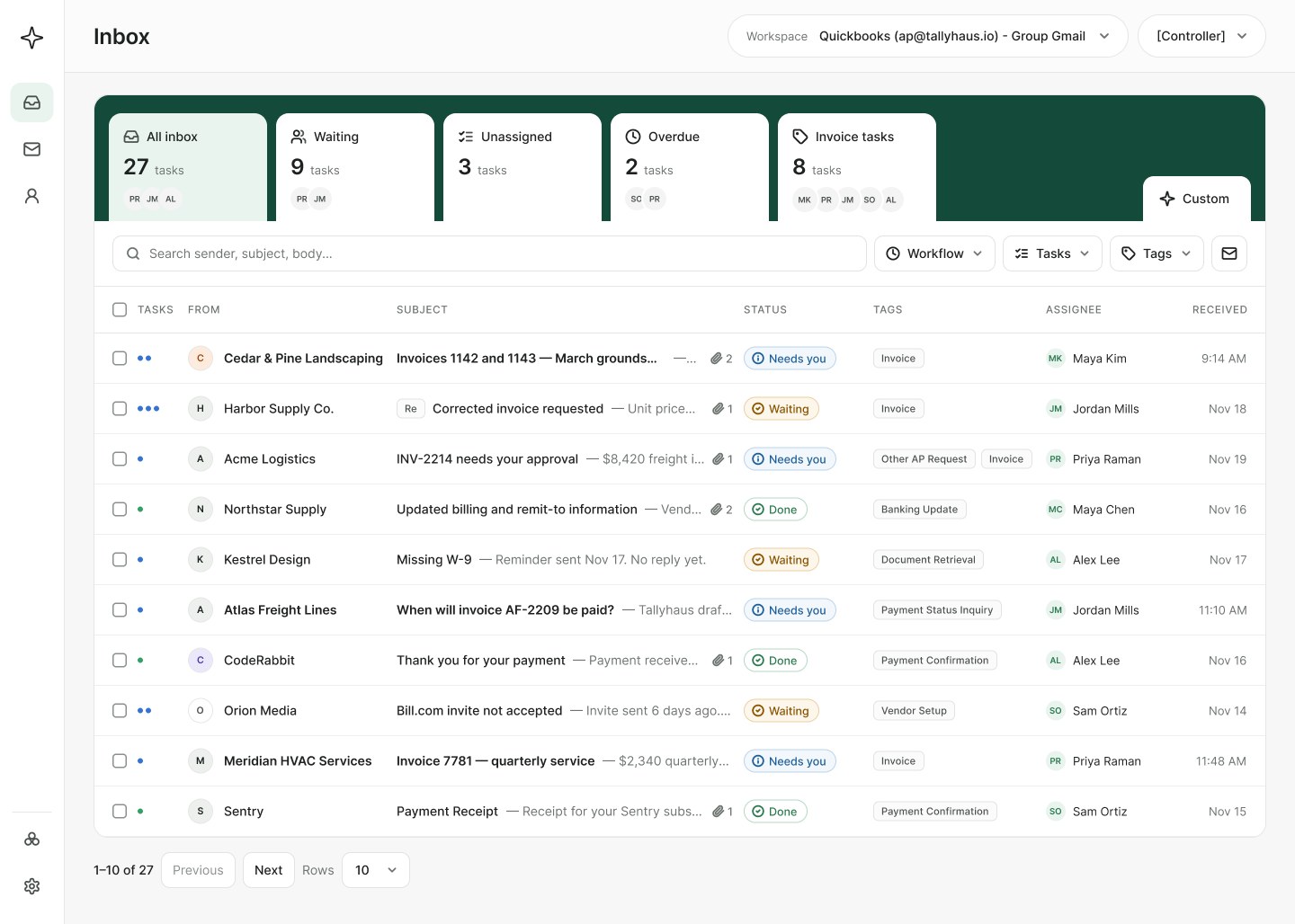
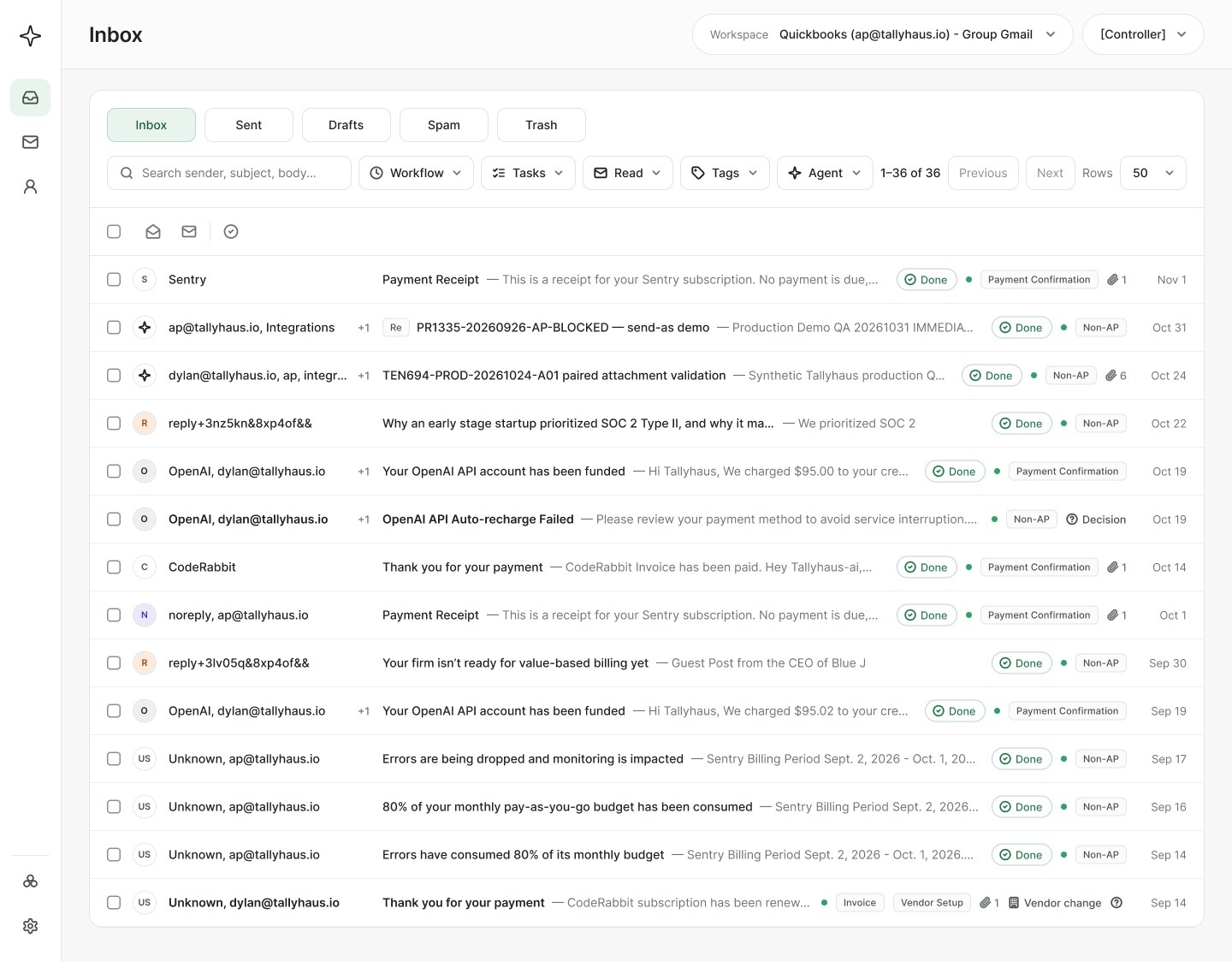
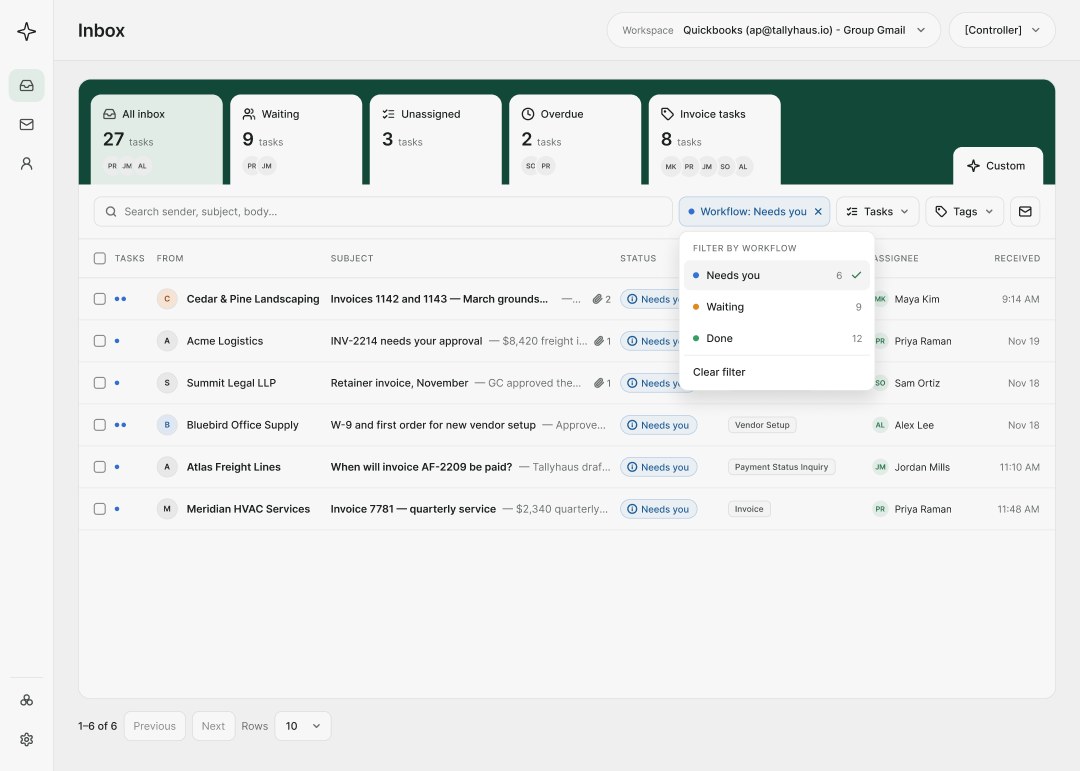
The team's brainstorm had produced a dozen overlapping statuses: needs your approval, needs your viewing, waiting for a person, waiting for an external vendor, waiting for an internal member, waiting for review, processing, in progress, likely done, completed, sent to ERP, closed. I cut it to three values a controller could act on:
- Needs you — a decision, approval or reply from the viewer
- Waiting — on a teammate, approver or vendor; internal and external merged
- Done — closed, and reopened by any new reply
Open tasks became blue dots on each row — one to three, four for "four or more" — and a single green dot when every task is done, which made "labeled is not done" visible at a glance. Seventeen agent tags were grouped and alphabetized into these three.
The solution
A daily loop: brief, tab, unblock, save.
1. The morning brief
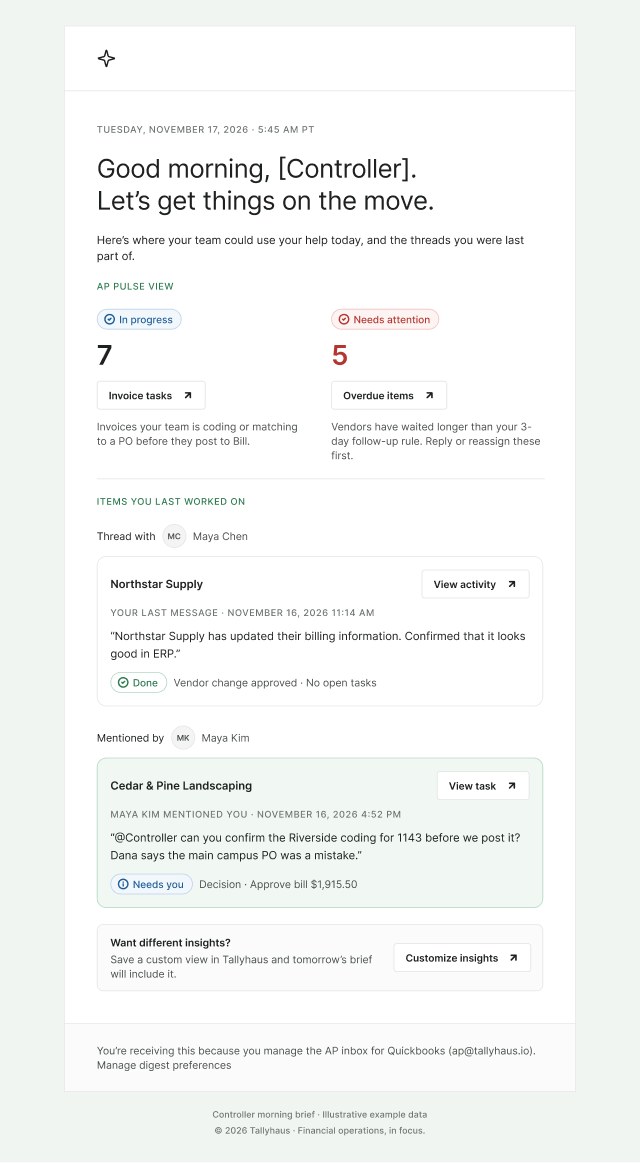
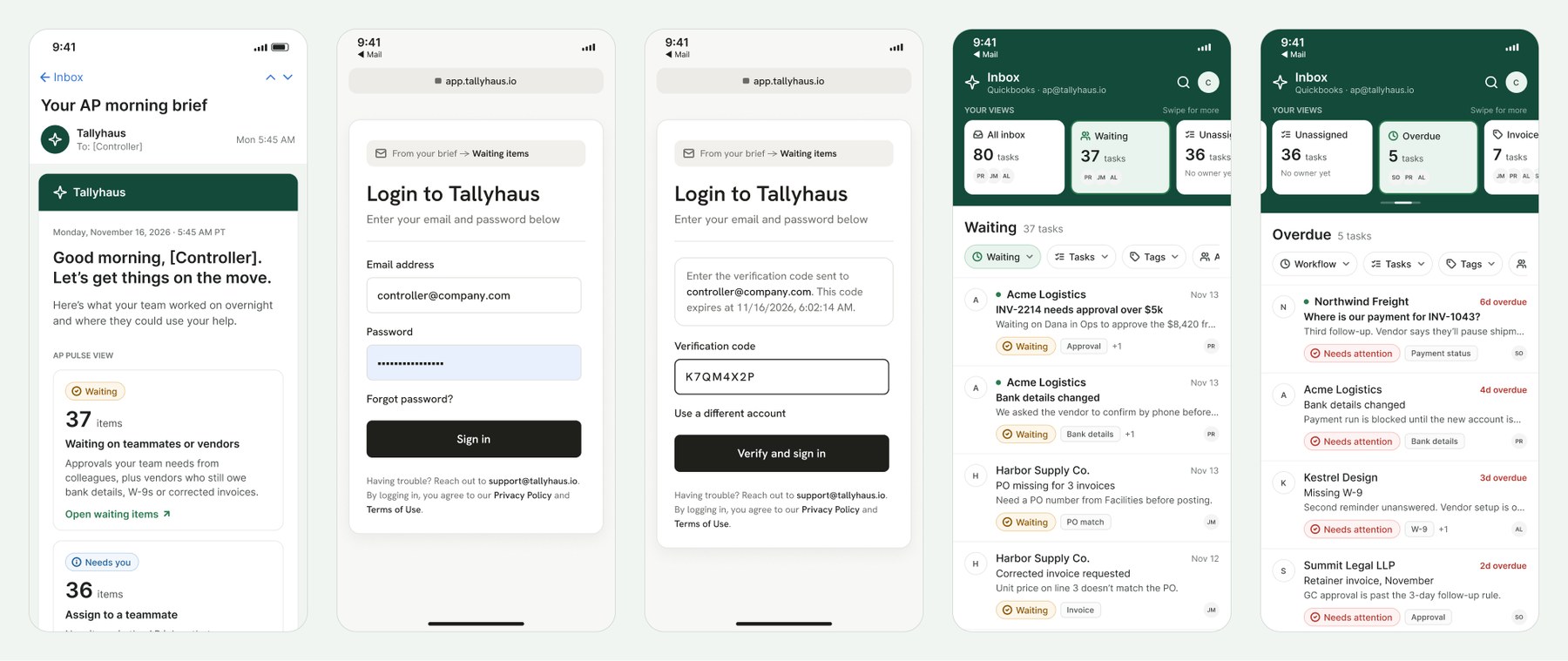
Sent at 5:45 AM on weekdays, before the team signs on. It shows the views the controller chose, with counts and a one-line reason each matters.
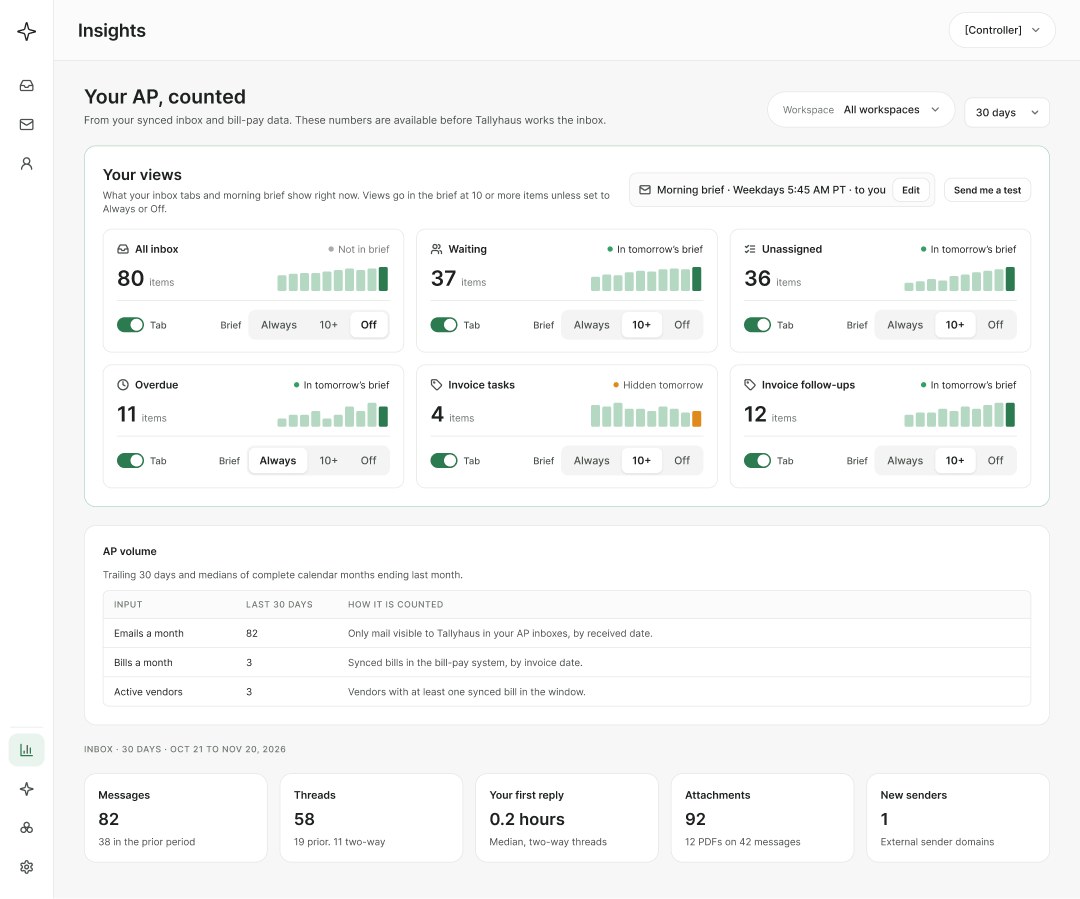
- Each view is set to Always, 10+, or Off, so the email stays short on calm days.
- A second section, "Items you last worked on," brings back threads where they commented, were mentioned, or have a task waiting.
- "Customize insights" sits small and low — it's an invitation, not the point.
2. One tap lands on the same view
"Waiting items" in the email opens the Waiting tab in the inbox — same name, same count. Each tab shows the teammates who have items in it, so the controller sees who's loaded before opening anything. Tabs are just saved filters: Waiting is the Workflow filter set to Waiting, Invoice tasks is the Invoice tag. Pick filters by hand and the matching tab lights up on its own.
3. Saved views feed tomorrow's brief
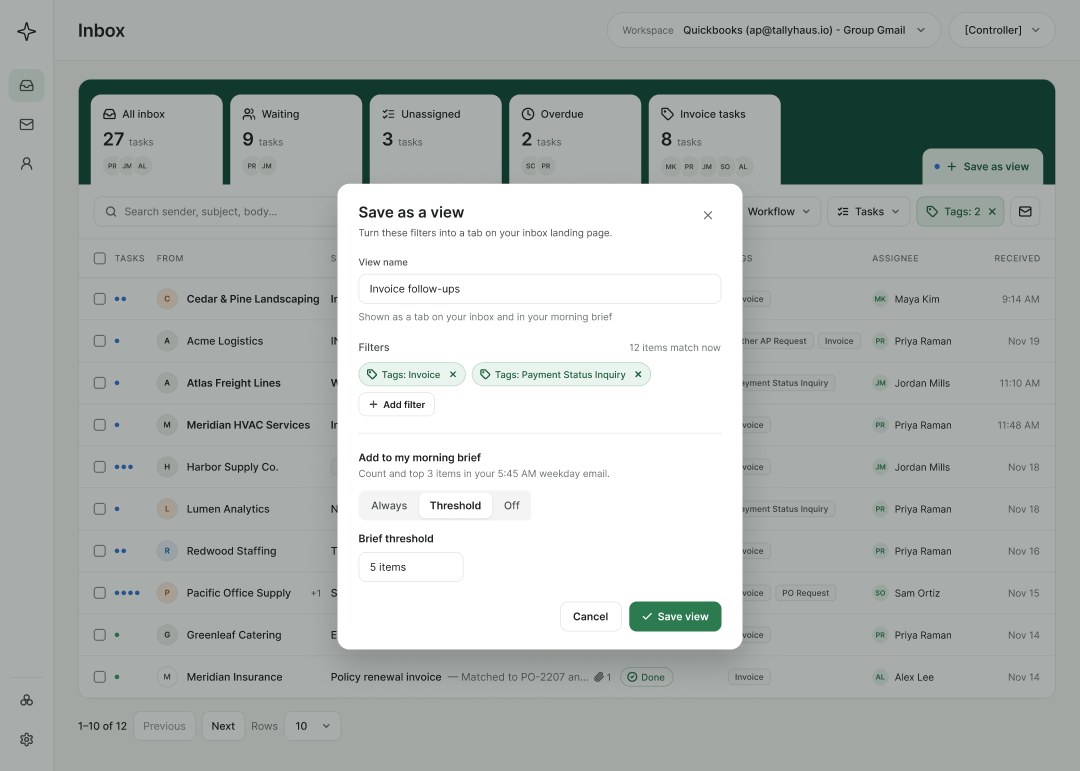
When filters match no existing tab, the Custom tab turns into "Save as view." Name it, trim the filters, and add it to the morning brief with a threshold. Remove a filter that makes it a duplicate, and the button changes to "Open Invoice tasks" instead — no two tabs mean the same thing. This is the loop: the controller shapes the email by using the product.
4. Unblock in context
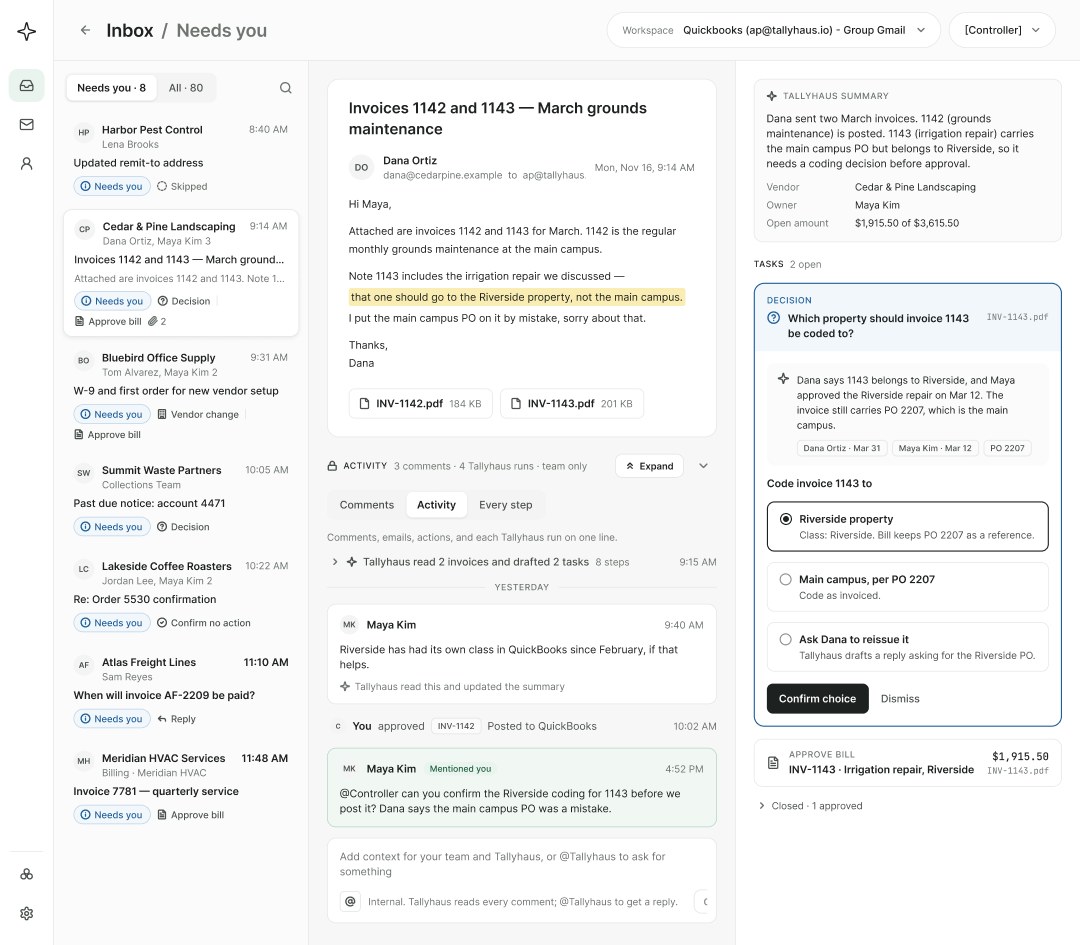
A mention in the brief lands on the thread with that comment highlighted. Tallyhaus's summary and the open decision sit beside the email, so the controller can answer the actual question — "which property should 1143 be coded to?" — in one click. Activity is team-only and shows each Tallyhaus run, so the controller can audit the agent by sample instead of re-reviewing everything.
5. Insights the controller can tune
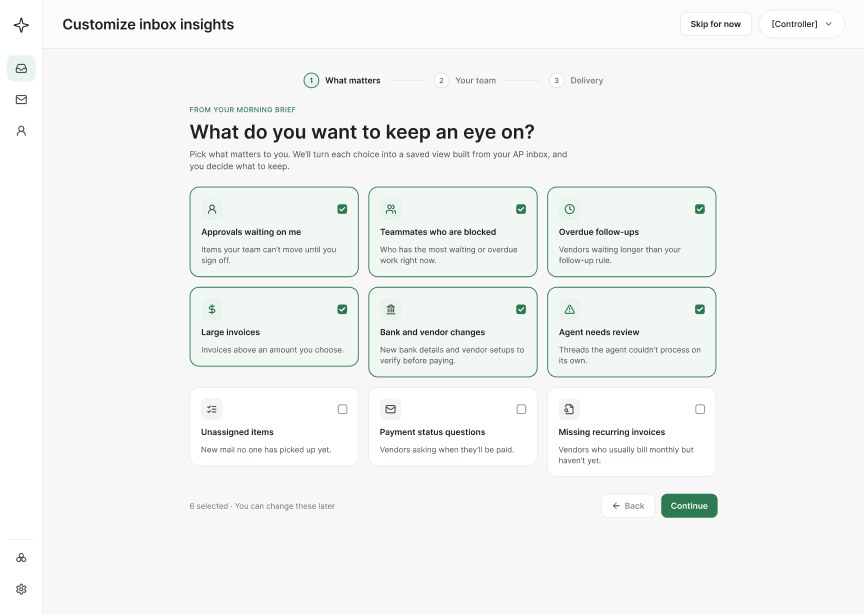
A three-step setup turns "what do you want to keep an eye on?" into suggested views. On the Insights page, every view shows its count, a 10-day trend, and whether it will be in tomorrow's brief.
Mobile
Built for the first check of the day, on a phone. Cards stack and each whole card is the tap target. Sign-in carries the destination — "From your brief → Waiting items" — so verifying lands on the view they tapped, not a home page. On the landing page, view tabs scroll sideways and the selected one scrolls into view.
System and handoff
Every screen uses one token set and component library in Figma, wired into clickable prototypes for each flow. For handoff, I packaged the file for an AI-assisted build: tokens as CSS and JSON, specs for every component and screen, behavior rules pulled from the prototype wiring, sample data, and a node map so the developer's agent could pull any frame directly.
Measuring success
These designs haven't shipped yet, so what follows are the signals I'd watch in a pilot, not results.
- Brief open rate — is the email worth reading at 5:45 AM?
- Click-through to a view — do counts lead somewhere useful?
- Weekly active controllers — the engagement problem this project set out to solve.
- Items waiting 7+ days — are controllers actually unblocking their team?
- Views saved per controller — are they shaping the brief, closing the loop?
What I'd test next
The renamed statuses and the "what needs me" ordering, with the two testers who offered more time.
What's still open
Where brief settings live (five options designed), and how the extra row statuses map onto the three workflow values.
What I learned
The buyer and the daily user can be different people. Designing for the buyer meant finding the smallest moment of value and taking it to where they already are.